

How to Get Your Website Ready for the Holiday Rush
The holiday season is the busiest stretch of the year for most websites, and the time to get ready is now, not the week of Black Friday. Adobe forecasts U.S. online holiday spending will hit $275.1 billion between Nov. 1 and Dec. 31, 2026, up 6.7% from last year, with Cyber Monday alone expected to set a record at $15.1 billion.
That traffic isn’t just hitting online stores. People are also searching for local service providers, checking holiday hours, booking appointments and buying gift certificates. Whether you run an eCommerce shop or a service business, a slow, broken or outdated website during the holidays means customers go to a competitor instead.
Below is a practical, step-by-step checklist to get your website ready. If you’d rather have the pros handle it, our team at 360Tactics can help of course.
Step 1: Speed up your website
Speed is the first thing to fix, because shoppers won’t wait. According to Google, 40% of consumers will leave a page that takes longer than three seconds to load. Holiday traffic spikes make slow sites even slower.
- Run a speed test. Check your homepage and your most important pages with Google PageSpeed Insights. It scores your site and lists exactly what’s slowing it down.
- Compress and resize images. Oversized product photos and hero banners are the most common cause of slow pages. Use modern formats like WebP and serve images at the size they’re displayed.
- Turn on caching and a CDN. Page caching and a content delivery network serve your pages faster and take load off your server.
- Remove what you don’t use. Old plugins, apps, tracking scripts and pop-ups all add weight. Deactivate and delete anything that isn’t earning its place.
- Confirm your hosting can handle a spike. Ask your host what happens if traffic doubles or triples. Cheap shared hosting often slows to a crawl or goes down under load.
Not sure where your site stands? Ask us for a quick performance review before the rush starts.
Step 2: Test everything on a phone
Most holiday shoppers will find you on their phone. Adobe expects mobile to drive 57.4% of online holiday sales this season, and 63% on Thanksgiving Day.
- Walk through your site like a customer. On your own phone, find a product or service, add it to the cart or fill out a form, and check out or submit. Note anything that’s hard to tap, read or find.
- Check buttons and forms. Buttons should be big enough to tap with a thumb, and forms should use the right keyboard (number pad for phone numbers, email keyboard for emails).
- Watch your pop-ups. A promo pop-up that covers the whole screen on mobile annoys shoppers and can hurt your search rankings. Keep them small and easy to close.
- Test on more than one device. Try both an iPhone and an Android phone, and at least two browsers.
Step 3: Lock down security, backups and updates
The worst time for your site to break or get hacked is the week you make the most money. Handle maintenance early, then leave the site alone.
- Update everything now. Update your CMS (WordPress, Shopify apps, Squarespace plugins), theme and plugins in early November, and test the site afterward.
- Set a code freeze. Once updates are done and tested, avoid major changes, redesigns or new plugins between Thanksgiving (Nov. 26) and the new year. Small content edits are fine.
- Confirm your backups work. Make sure you have automatic daily backups stored off your server, and test that you can actually restore one.
- Check your SSL certificate. Make sure it won’t expire mid-season. An expired certificate shows visitors a security warning instead of your site.
- Use strong logins. Turn on two-factor authentication for every admin account and remove old user accounts you no longer need.
- Set up uptime monitoring. A free or low-cost monitor will alert you within minutes if your site goes down, instead of finding out from a customer.
If your site needs ongoing care, our maintenance plans cover hosting, updates and backups so you don’t have to think about it.
Step 4: For online stores, tighten up checkout and shipping
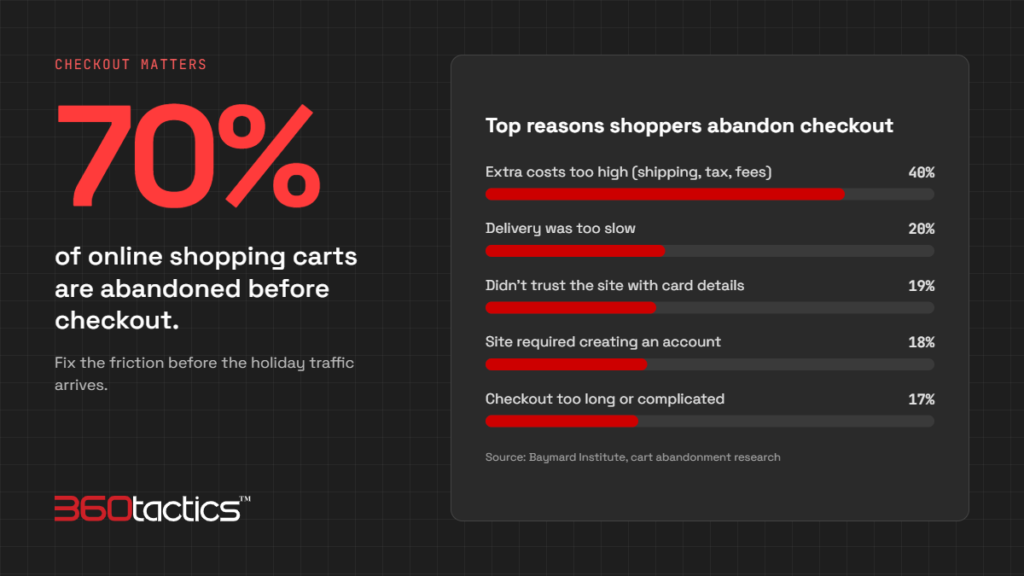
Your checkout is where holiday sales are won or lost. Baymard Institute puts the average online cart abandonment rate at about 70%. Its research found the top reasons were unexpected extra costs (40%), slow delivery (20%), distrust of the site with card details (19%) and being forced to create an account (18%).
- Place real test orders. Buy something on your own site with each payment method you accept, including discount codes, and confirm the order emails arrive.
- Show costs early. Display shipping costs and free-shipping thresholds on product and cart pages, not just at the last step.
- Offer guest checkout. Don’t make holiday shoppers create an account to buy.
- Add payment options. Wallets like Apple Pay, Google Pay and PayPal speed up mobile checkout. Adobe expects buy now, pay later to drive $21.3 billion in holiday online sales, so consider offering it.
- Post your shipping cutoff dates. Put a banner on your site with the last day to order for delivery by Christmas. For 2026, USPS Ground Advantage’s recommended deadline is Dec. 17 and Priority Mail is Dec. 18. Build in a buffer for your own processing time.
- Update your return policy. Extend returns for holiday gifts and make the policy easy to find. 13% of shoppers in Baymard’s research abandoned a cart over the return policy.
- Check inventory and product pages. Make sure stock levels are accurate, out-of-stock items are marked clearly, and your best sellers have strong photos and descriptions.
- Set up abandoned-cart emails. An automated reminder email can win back shoppers who left without buying.
- Prepare your promotions in advance. Build Black Friday (Nov. 27) and Cyber Monday (Nov. 30) landing pages and discount codes ahead of time, test them, and schedule them to go live.
Step 5: For service businesses, make it easy to find and book you
Service businesses don’t need a checkout, but they do need customers to find accurate information and reach them quickly.
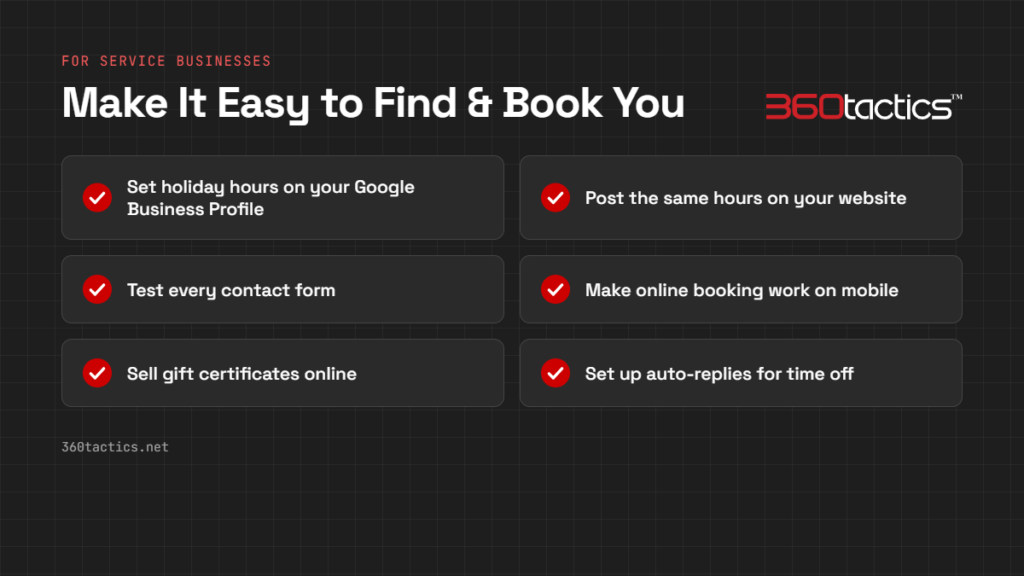
- Set holiday hours on your Google Business Profile. Use the Special hours setting in Google Business Profile to add closures and reduced hours for each holiday, so Google Search and Maps show the right times.
- Post the same hours on your website. Add a holiday-hours banner or notice to your homepage and contact page so the information matches everywhere.
- Test every contact form. Submit each form on your site and confirm the message arrives in the right inbox. A broken form during your busiest season means lost leads you’ll never know about.
- Make booking simple. If customers schedule appointments, make sure online booking works on mobile and shows real availability, including holiday closures.
- Sell gift certificates online. Gift cards for your services are an easy holiday gift and bring customers back in the new year.
- Set up auto-replies for time off. If your office closes, set an email auto-response that says when you’ll be back and how to reach you for anything urgent.
- Promote a holiday offer. A seasonal package or an early-booking discount for January gives visitors a reason to contact you now.
Step 6: Get found and track your results
Good holiday prep also means making sure people can find you and that you can measure what’s working.
- Publish holiday pages early. Search engines need time to find and rank new pages. Publish gift guides, holiday-offer pages and Black Friday pages by early November, and reuse the same URL every year so it builds authority.
- Refresh titles and descriptions. Update page titles and meta descriptions on key pages to mention holiday offers, gifts or seasonal services.
- Get ready for AI search. Adobe projects AI-driven traffic to U.S. retail sites will rise 130% this season. Clear product details, prices, FAQs and structured data help AI assistants understand and recommend your business.
- Plan your emails. Schedule your holiday email campaigns now: early-access offers, Black Friday and Cyber Monday reminders, and a last-shipping-day or last-booking-day reminder.
- Check your analytics. Confirm Google Analytics and any conversion tracking (purchases, form submissions, calls) are working, so you can see which pages and campaigns drive results.
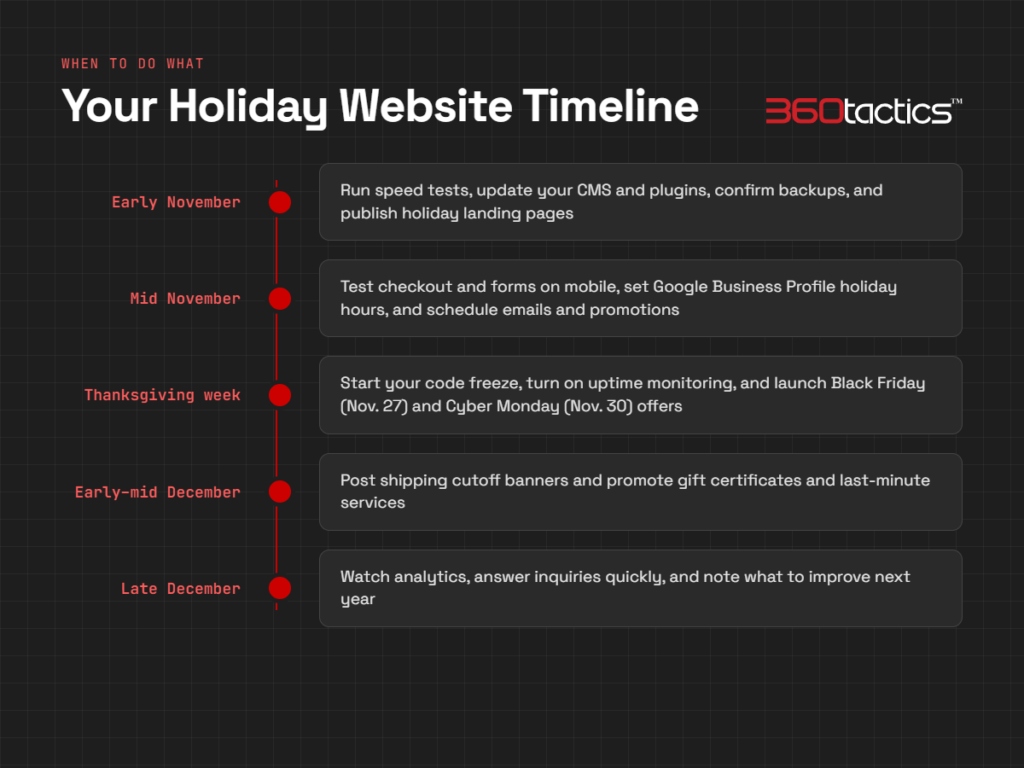
Your holiday website timeline
Use this as a quick reference for when to tackle each step.
| When | What to do |
|---|---|
| Early November | Run speed tests, update your CMS and plugins, confirm backups, and publish holiday landing pages |
| Mid November | Test checkout and forms on mobile, set Google Business Profile holiday hours, and schedule emails and promotions |
| Thanksgiving week (Nov. 26) | Start your code freeze, turn on uptime monitoring, and launch Black Friday (Nov. 27) and Cyber Monday (Nov. 30) offers |
| Early to mid December | Post shipping cutoff banners and promote gift certificates and last-minute services |
| Late December | Watch analytics, answer inquiries quickly, and note what to improve next year |
Need help getting your website holiday-ready?
There’s a lot on this list, and most business owners are already stretched thin this time of year. At 360Tactics, we design, build and maintain WordPress and Shopify websites for businesses in Seattle, Tacoma, Gig Harbor, Bremerton, Port Orchard and beyond. We can speed up your site, test your checkout and forms, handle updates and backups, and make sure everything runs smoothly through the busiest season of the year.
Contact 360Tactics today to get your website ready for the holiday rush.
Sources
- Adobe projects 2026 online holiday sales will reach $275 billion (Digital Commerce 360)
- Mobile page speed and load time (Think with Google)
- Cart abandonment rate statistics (Baymard Institute)
- 2026 holiday shipping deadlines for UPS, USPS and FedEx (ShipStation)
- How to set special hours (Google Business Profile Help)
- PageSpeed Insights (Google)